Starting up orsanco website
Steps
- Go the link: https://polite-dune-0cc72b20f.2.azurestaticapps.net
- Enter the password
- Then go to the
Mappage and choose a pushpin. - After choosing a pushpin, go the
Daily Flowspage - On the
Daily Flowspage if you don't see a graph, check the Console by pressingF12 - If you see an error message something like this.
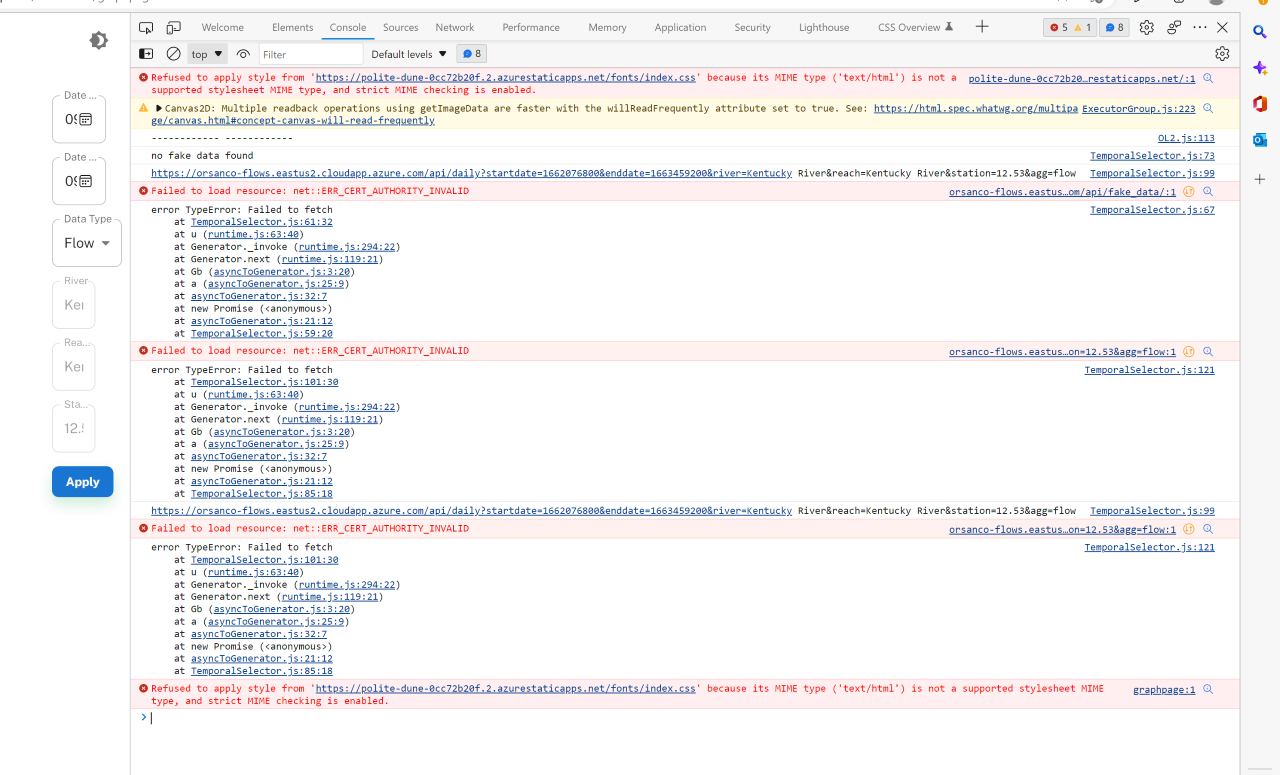
- Go to this link. https://orsanco-flows.eastus2.cloudapp.azure.com/
- You will see the prompt saying the website is not trusted and it does not have a valid certificate.
- Click
Show Moreand then →Proceed Anyway - Come back to the frontend site, click Refresh and repeat from Step 3.
- You should be able to see the graph.
caution
Make sure you select the correct date range, else you won't see any data populate on the screen.